davis course catalog
UC Davis' largest course discoverer and comparer.


Cattlelog is a platform that helps students find courses and professor reviews at UC Davis. By combining professor reviews with actively updated course information, users can find the best classes to fufill their requirements.
My Role
Product Designer & Graphic Designer
Team
2 PMs, 1 TPM, 4 SWEs, 1 PMM, 1 PD/GD
Timeline
January 2025 - Present
Tools Used
Figma, PostHog, Typescript, Tailwind, HTML/CSS, GitHub, Notion.
One struggle at UC Davis my and my team have experienced is the pain of tab-switching between 6 different web pages to find information on courses. Refining our collective pain points, we drafted an initial problem statement:
Currently, UC Davis students do not have access to a reliable source of information on courses to take based on their enjoyability, difficulty, workload and instruction quality. Most students find out about, and choose courses through word of mouth.
But, we still needed to prove this problem was something that resonated with our peers and if this problem was something people would be willing to switch products for.
We created Cattlelog for UC Davis undergraduate and graduate students aged 18-24 to help users find information about courses and discover new courses without having to switch between different platforms and web pages. To understand the current routines that students go through to plan their course schedules, we conducted user interviews and a competitive analysis.
User Interviews (WIP)
Coming Soon…
Competitive analysis
Currently UC Davis’s only source of information on instruction and course quality is Rate My Professor. However, Rate My Professor’s information is sorted by professor, thus making it unsuitable for discovering new courses. UCLA has BruinWalk, whose class page features a similar set of information as what this tool aims to provide. However, BruinWalk has a problem with a lack of meaningful data, which we aim to mitigate through partially using Rate My Professor data.
Pain Points
After user interviews and our compeitive analysis we identified four reoccuring pain points of users in similar products:
No course-focused option
The layout and interface of Rate My Professors was not conducive to discovering new classes as it focuses on giving users information about each professor.
Constant platform switching
Students looking for classes with good professors have to constantly switch between the school's clunky Schedule Builder platform and Rate My Professors
Courses lack professor information
For courses where the professor is not displayed on schedule builder, something commonly seen in computer science classes, students have no way of knowing what professors are likely to be teaching it besides word of mouth
Word-of-mouth required for GEs
Other than word of mouth and social media, students have no way of knowing what GE classes are generally considered attractive to take
Wireframes
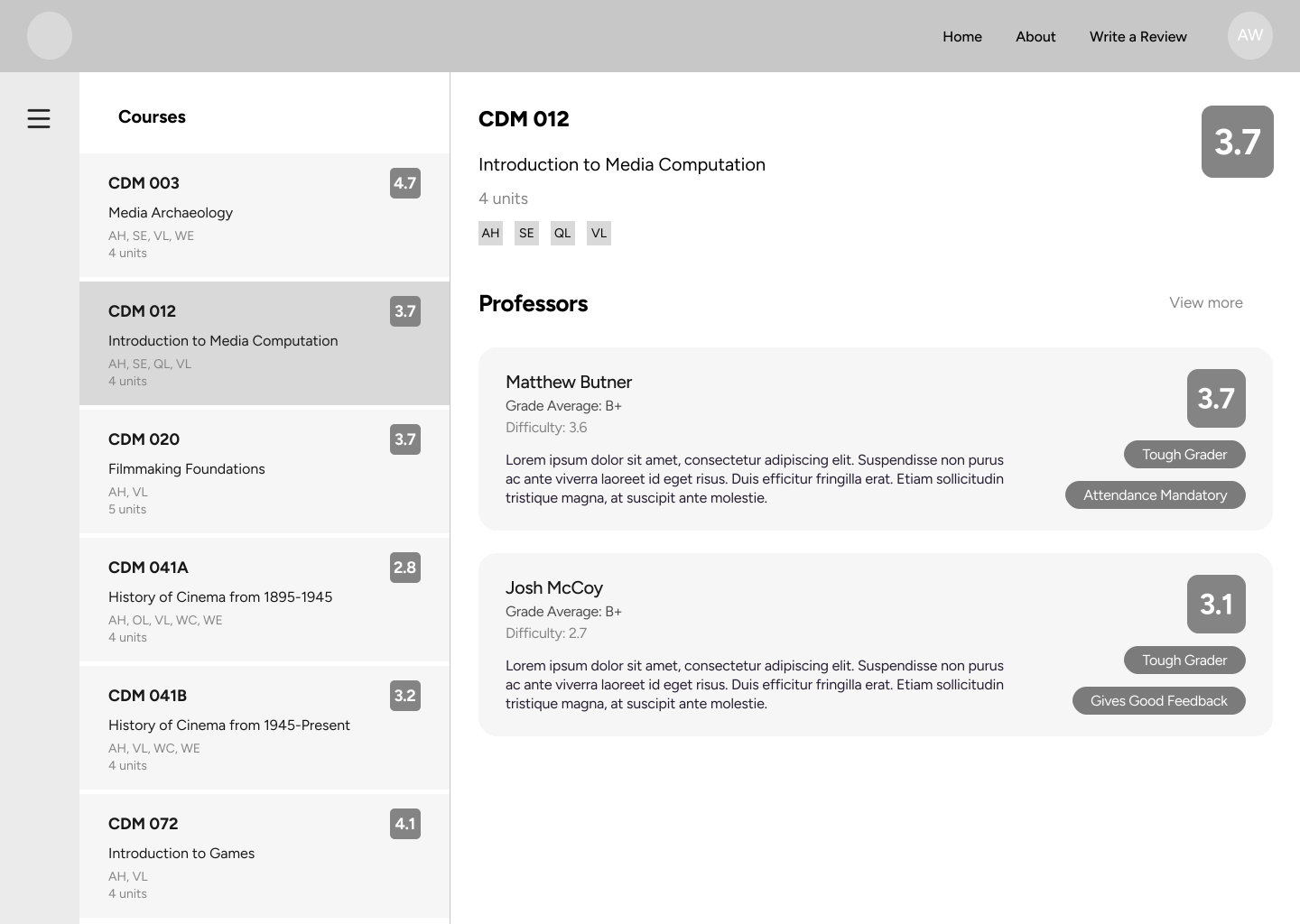
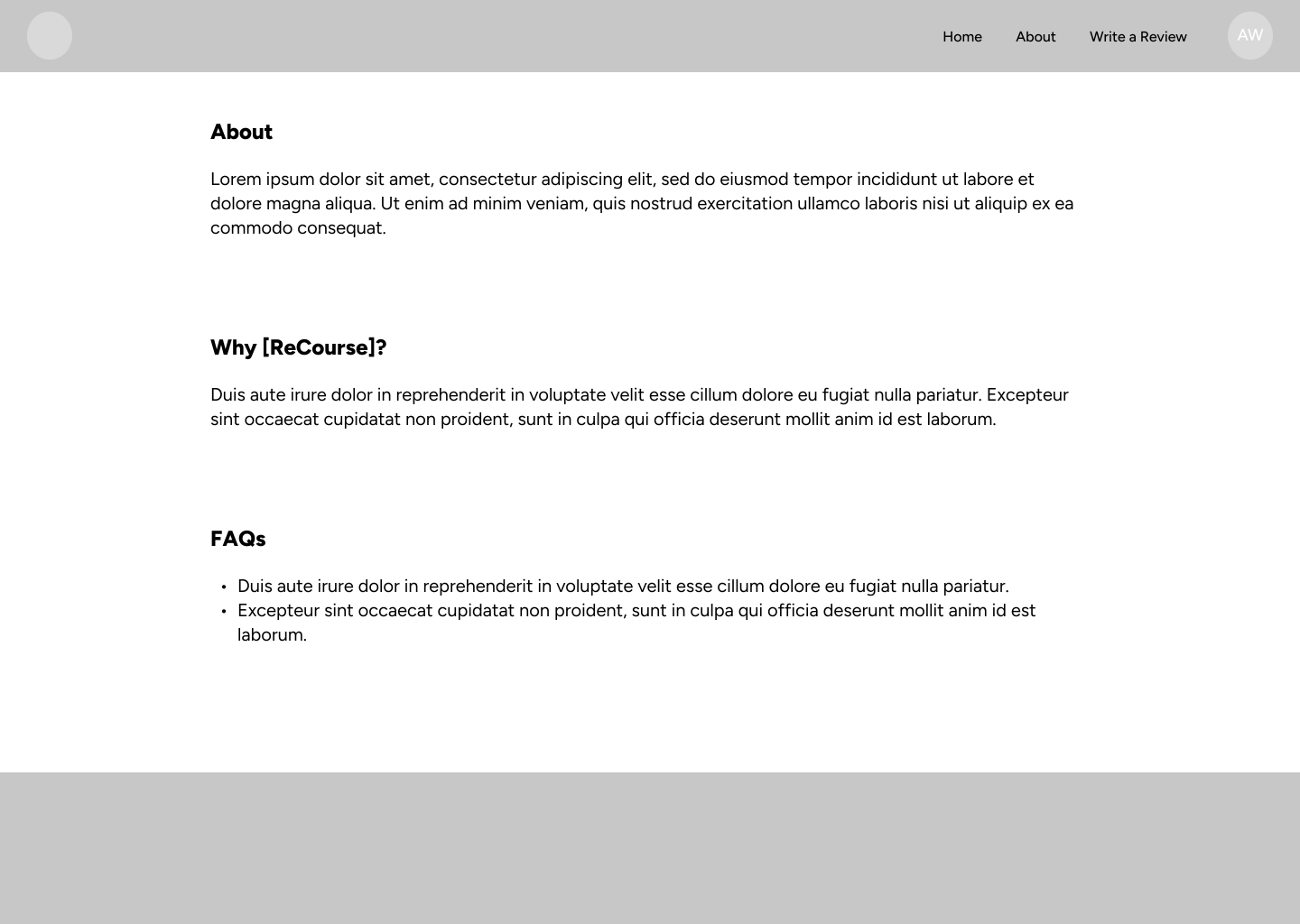
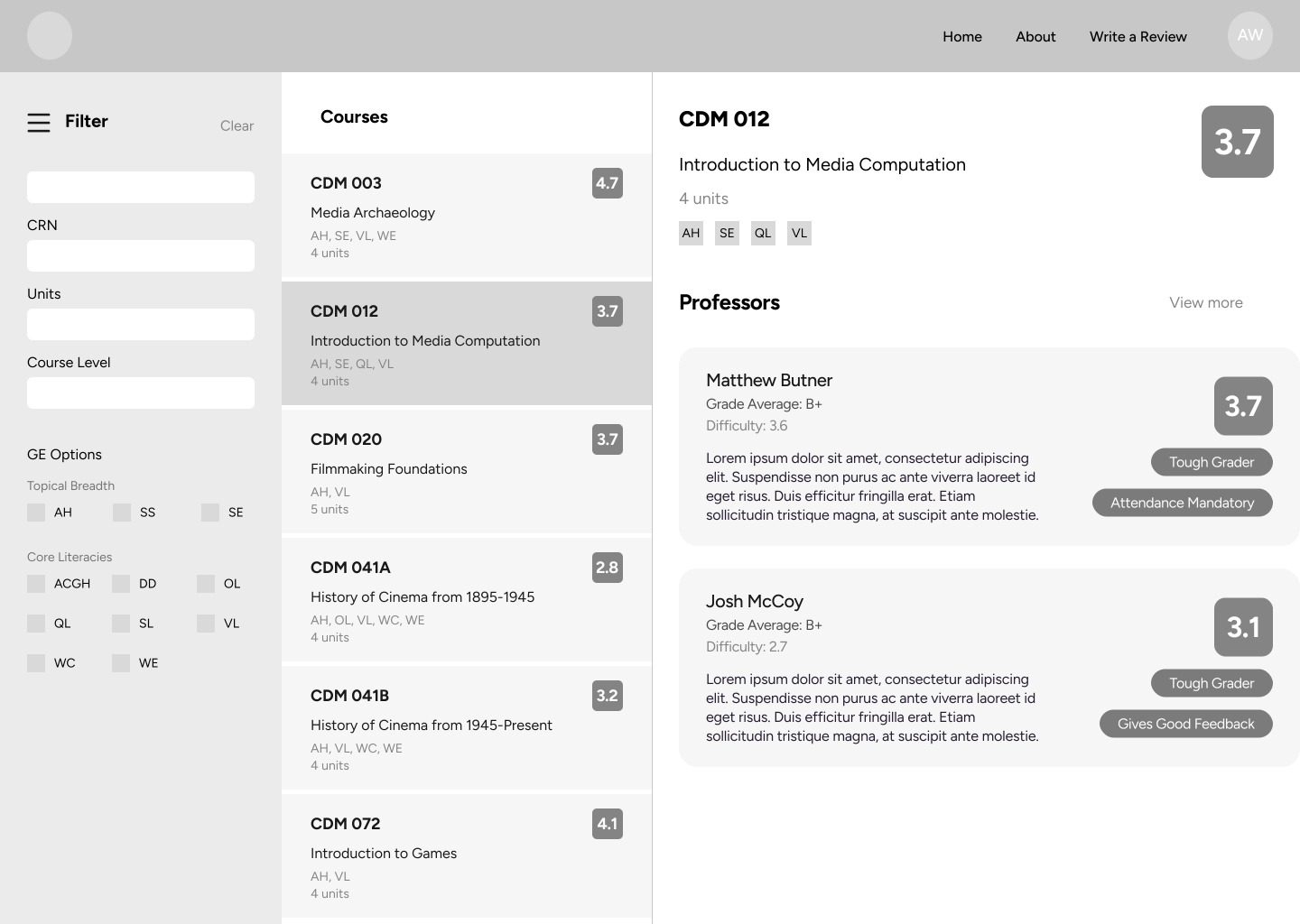
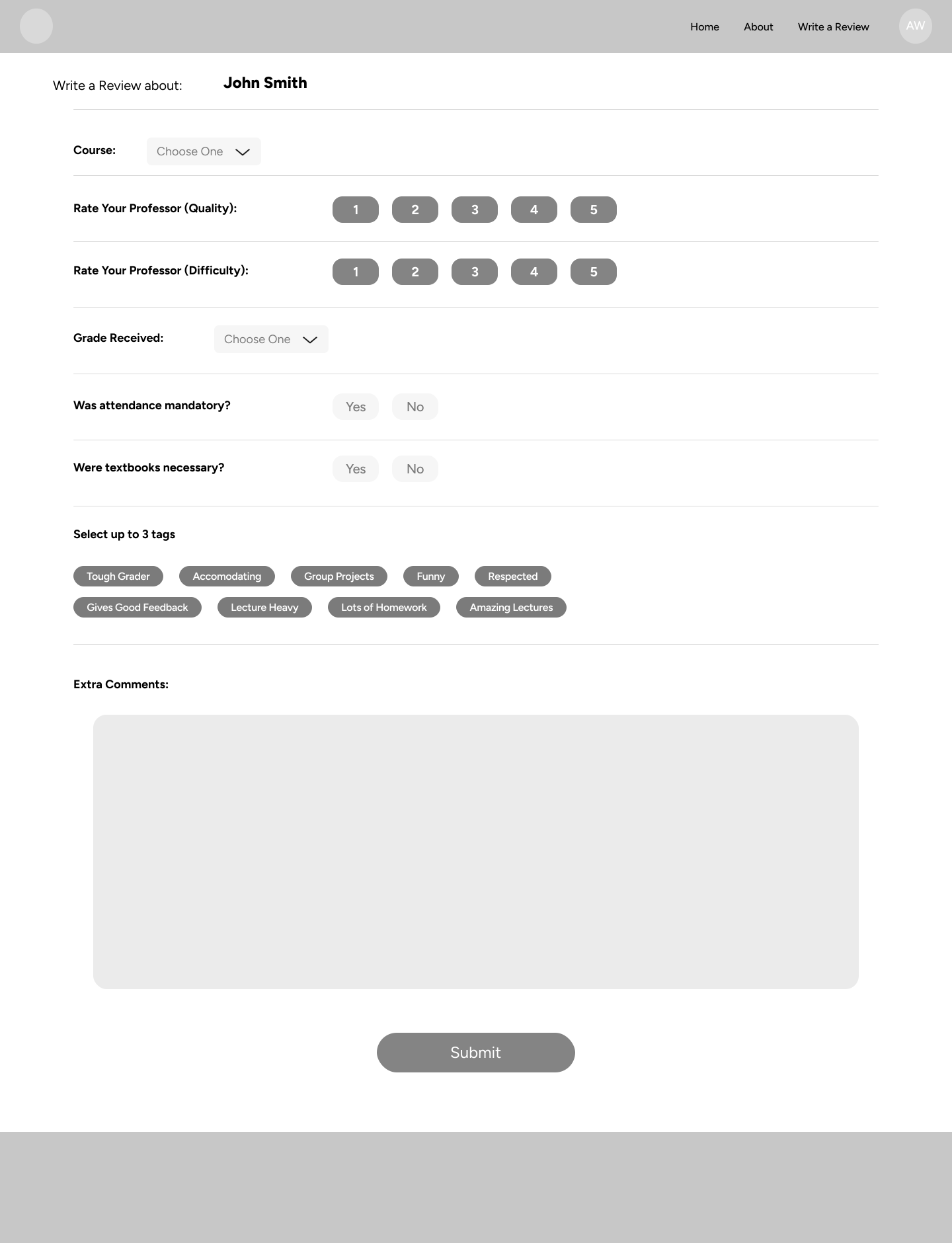
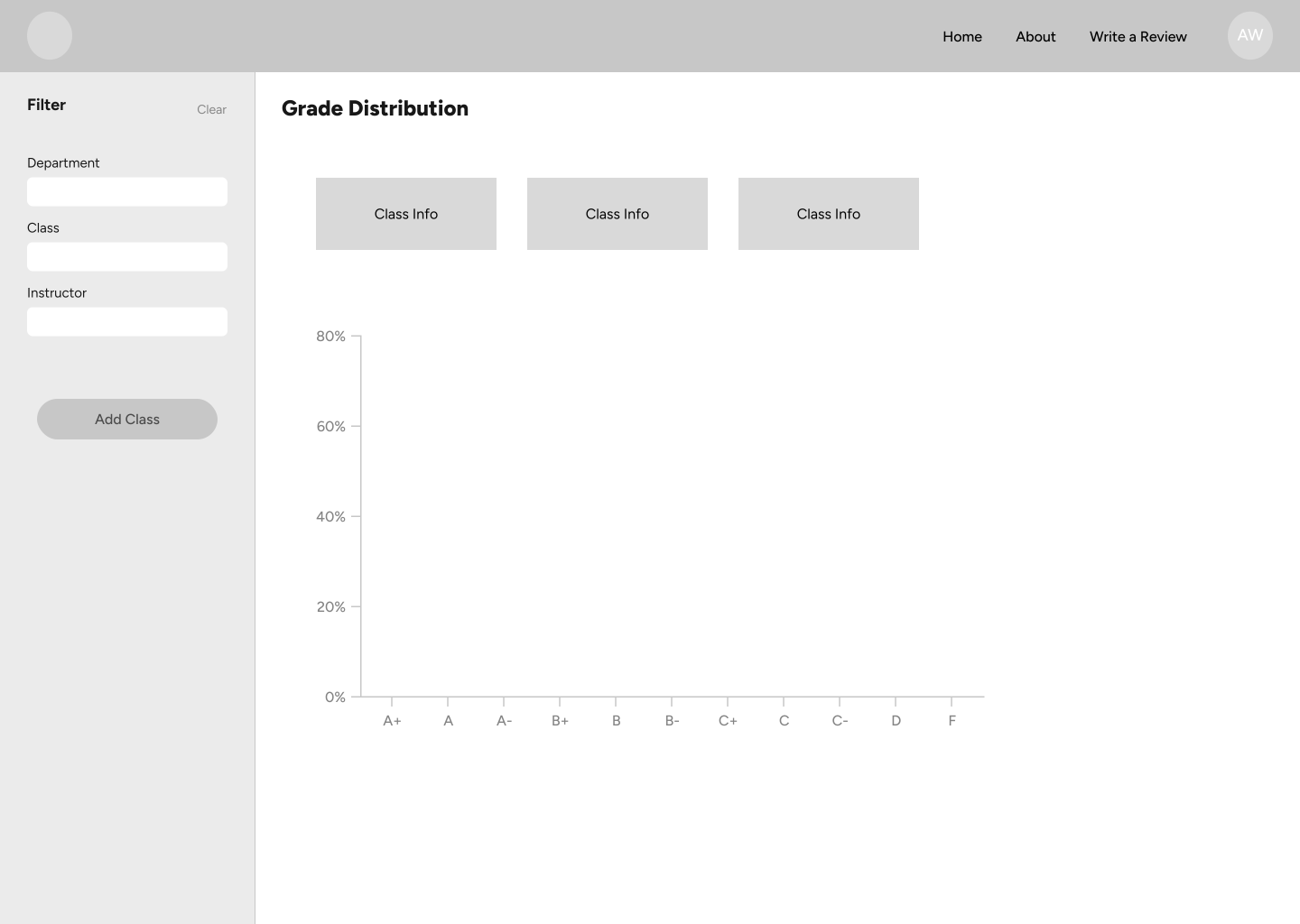
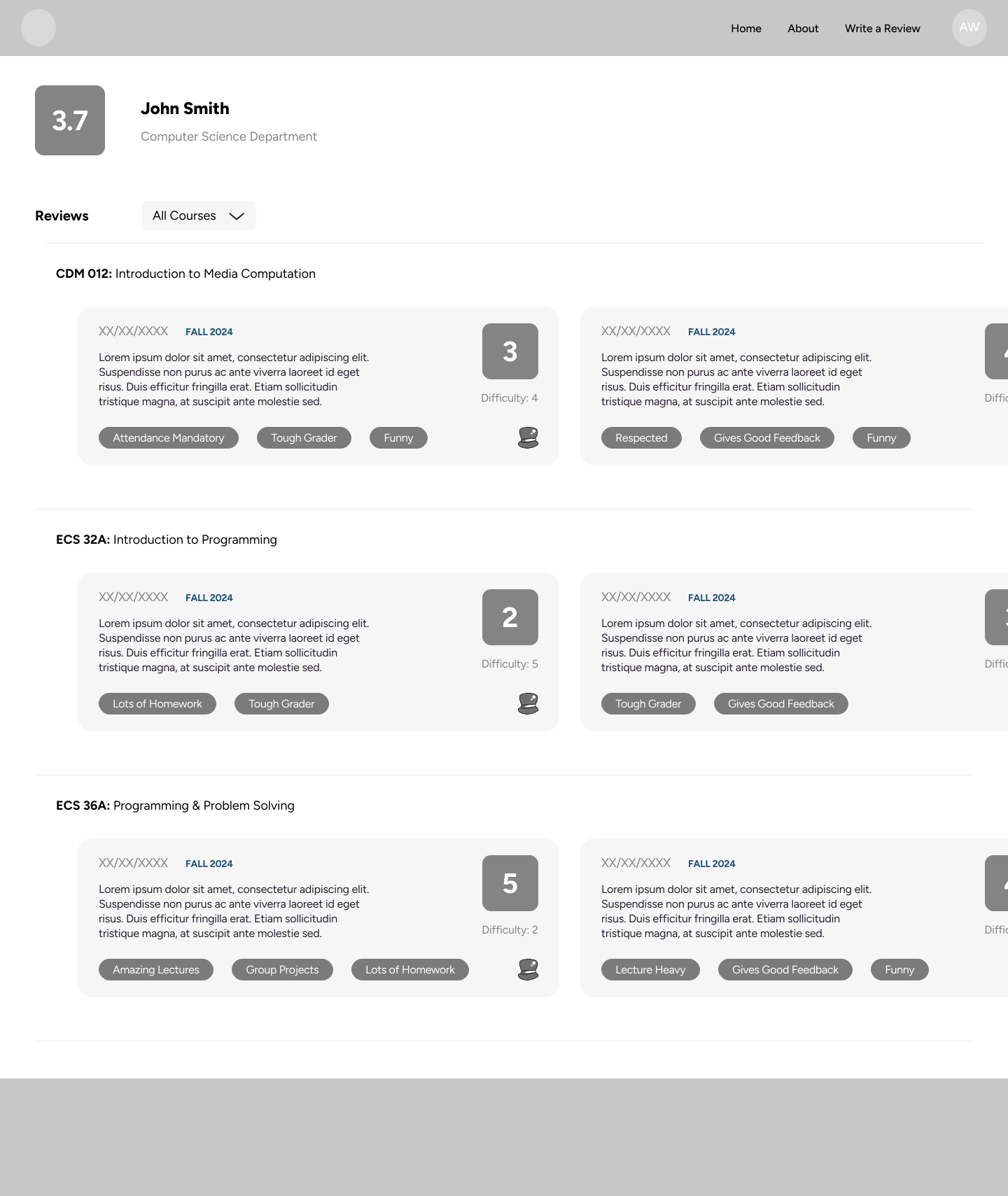
Initial wireframes for Cattlelog were created in Figma focusing on solving the pain points of our competitors. By organizing the catalog by course rather than by professor, users were more easily able to discover new courses for their schedules compared to Rate My Professor. By including room for data from Rate My Professor with reviews for professors that taught each course, users could find meaningful data about each course’s quality, difficulty, and historical averages compared to BruinWalk and Berkeleytime.
Final Designs (WIP)
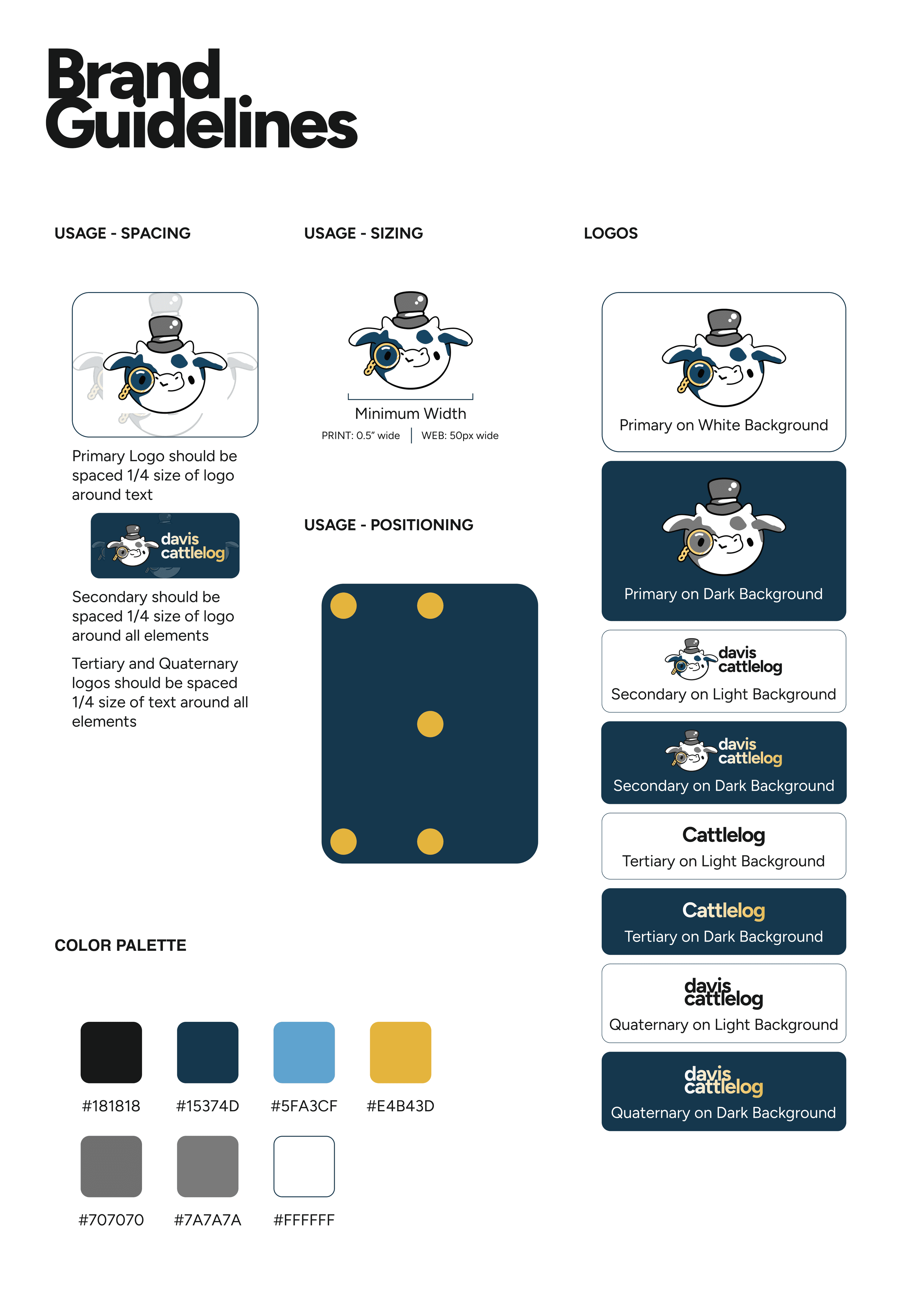
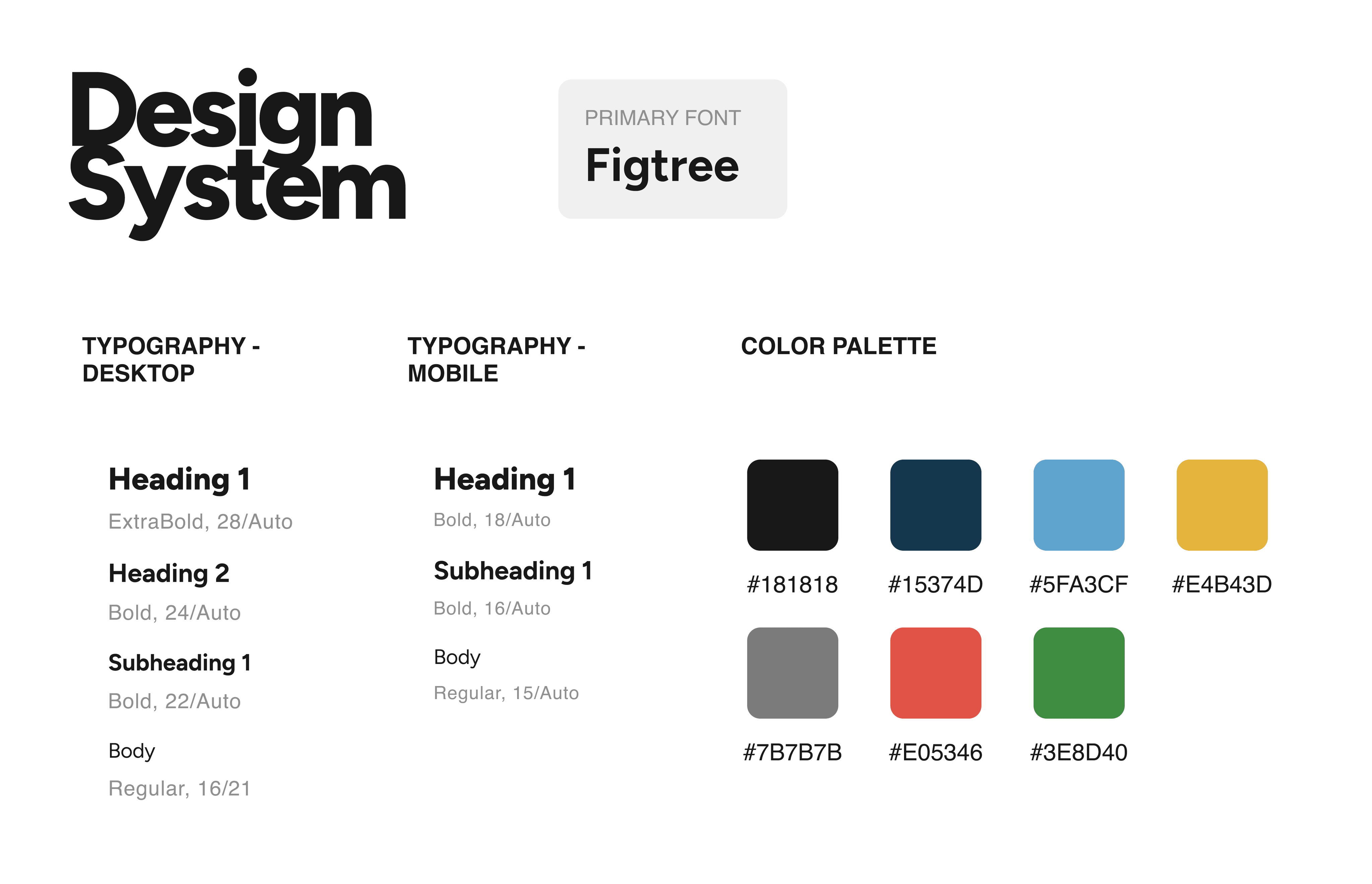
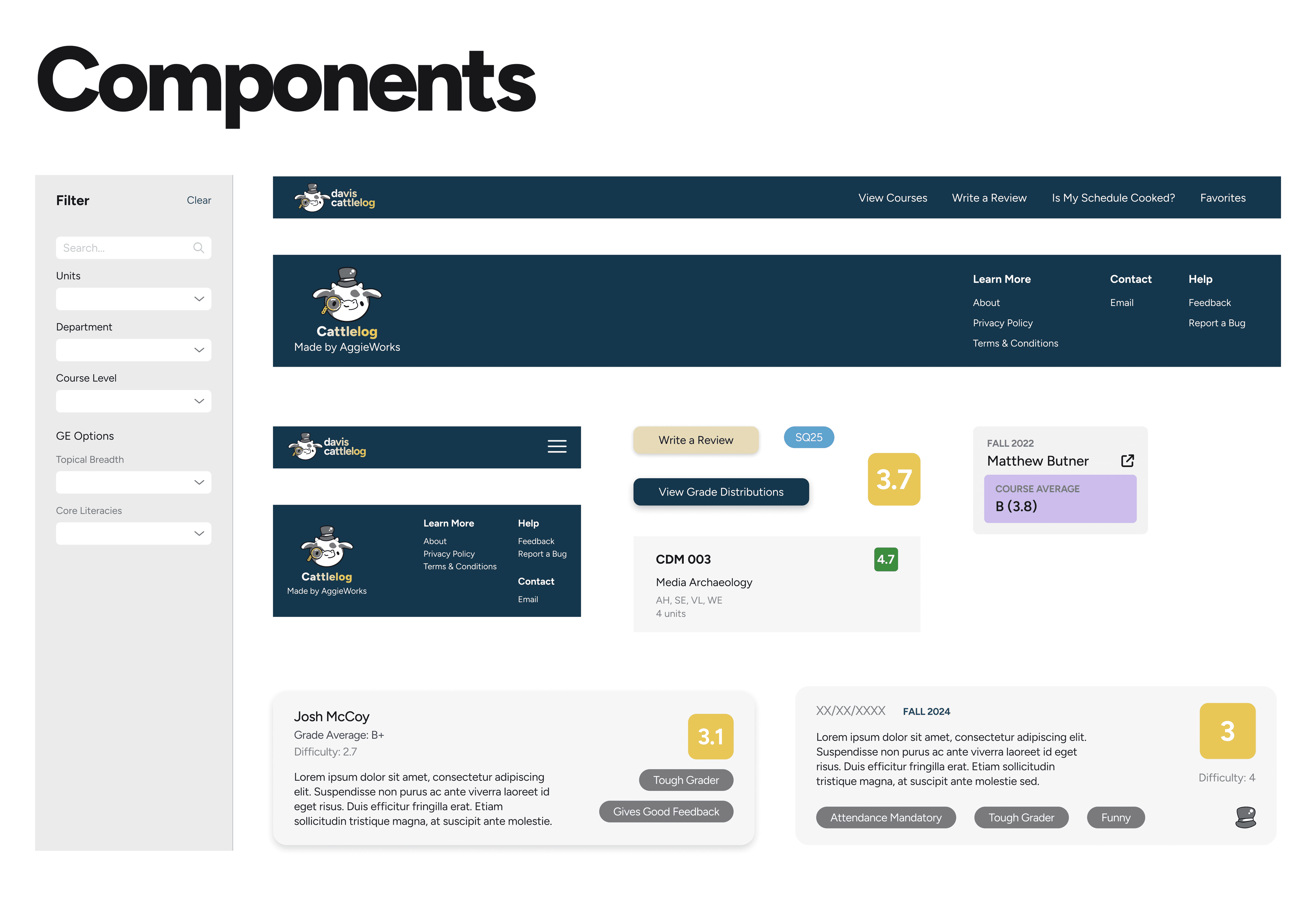
Cattlelog’s design system is a cross between minimalism and maximalism. I use a lot of blank space on the website to direct user’s attention to key features of the website. At the same time, the more complex logo and branding, especially on the landing page, keeps the “student-made” atmosphere of the environment, reminding users that Cattlelog is a platform made by students, for students.
Key Features
Course Catalog
On Cattlelog’s course catalog, each listing has the name, code, and a general description of the course, as well as the General Education (GE) categories and unit value related to the course. Listings in the catalog can be directly searched for, or filtered by a variety of filters such as GE categories, subject/department, course level, and what quarters the course if offered. Within each listing is a page for each course including all information already present on the catalog listing, as well as a congregated list of course reviews and a list of professors who have taught the course and their highest rated review.
Grade Distributions
The primary feature named by users of Cattlelog are the course grade distributions which displays a histogram of grades who have taken the course we the selected professor, by quarter. Users can compare grade distributions between quarters and professors of each course through dropdown menus. At the time of writing, Cattlelog is the only source of grade distribution data for UC Davis courses and students.
Landing Page
Cattlelog’s Landing page provides users easy access to search the course catalog, and navigate to the other features on the website. The design of the homepage is relatively simple, giving users clear direction on how to navigate the website.
Course reviews
Users can leave reviews and ratings for a professor they took a course with. Each review asks for the professors quality of instruction, difficulty of course work, volume of homework, attendance structure, grading structure and professor availability outside of class. Additionally, the review asks for the value/novelty of content, the difficulty of content, and volume of workload for the course.
After launching the product, the next step was to get users onto the platform.
Tabling
Initially, Cattlelog was spread through word-of-mouth, especially through tabling at peak traffic hours on campus. Through Posthog, we were able to track the number of new users gained from tabling using utm-sources where we reached nearly 2,000 unique users.
Social Media Marketing (WIP)
Having established Cattlelog was a product solving a significant pain point for UC Davis students, we began expanding our presence on campus to social media platforms such as Instagram and TikTok. I created many posts covering new features our development team released, upcoming course registration dates, and giveaways.




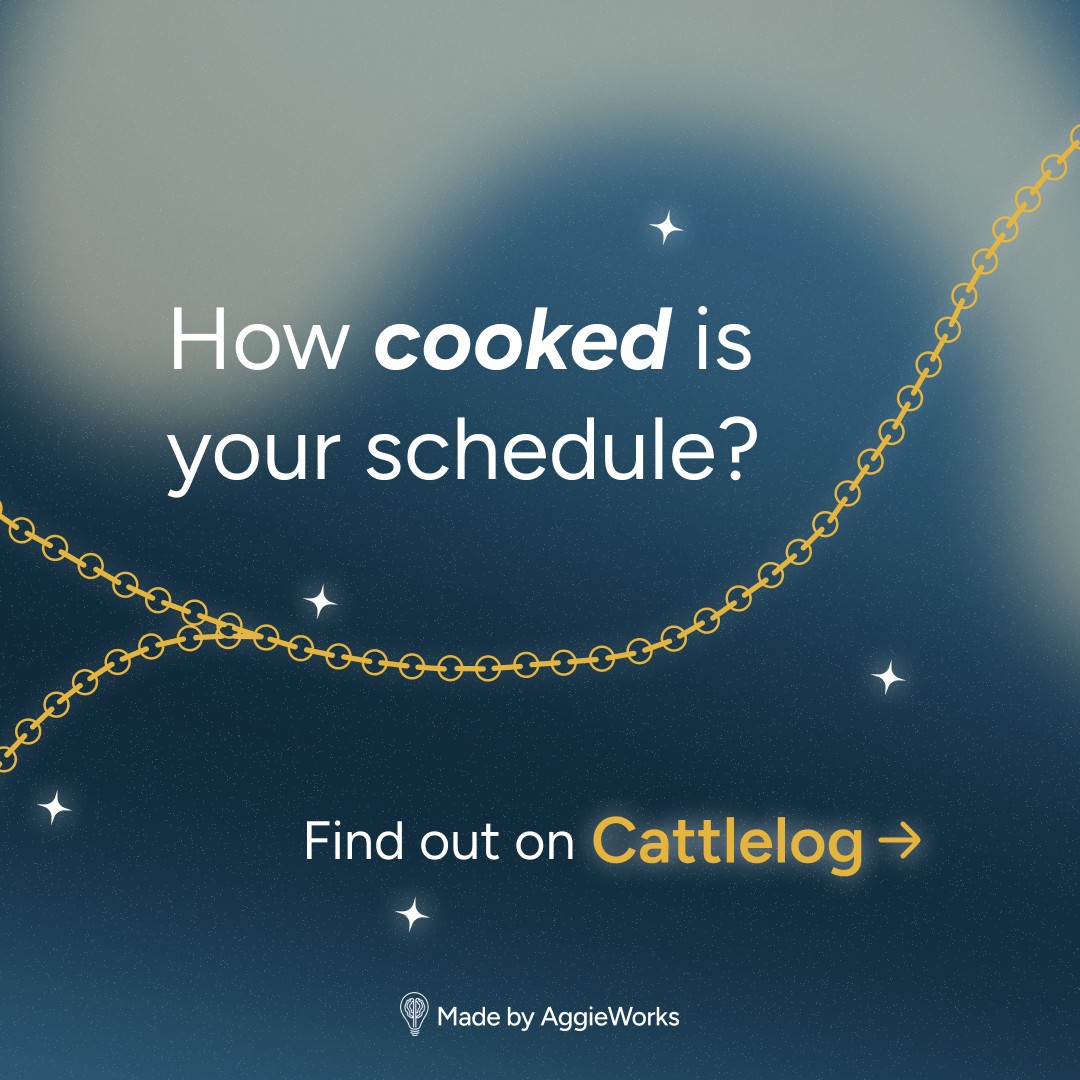
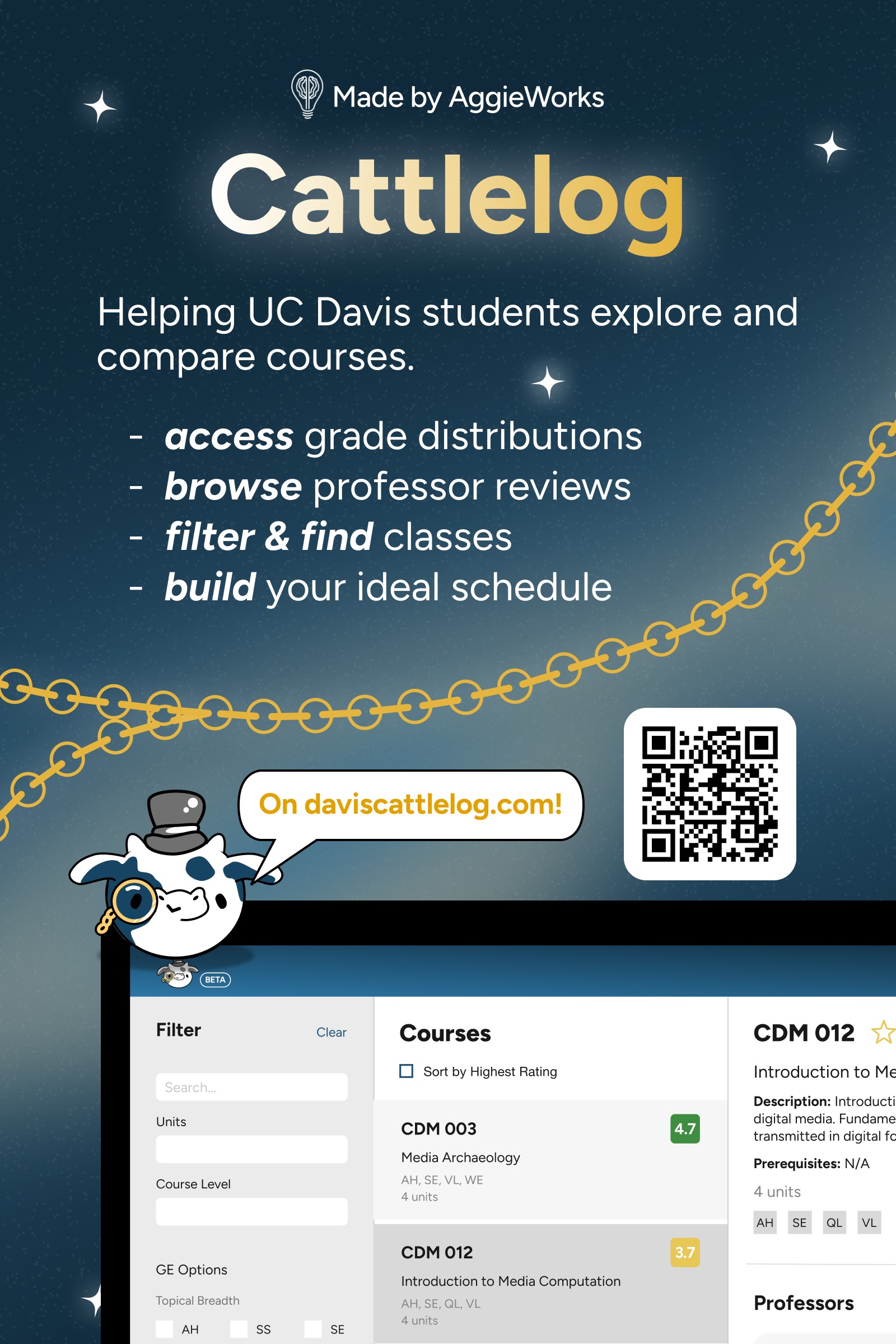

We also posted reels and TikToks, highlighting Cattlelog’s solutions to common user pain points, and reached out to popular content creators on campus to ask them to promote Cattlelog on their platforms. Overall, we reached almost 100,000 views across both platforms!
By the end of the 2025 summer quarter at UC Davis, daviscattlelog.com reached:
Challenges
The road to Cattlelog's success was not a straight path. Some of the biggest challenges I faced as a designer on Cattlelog were:
Displaying Data Visually
While designing Cattlelog’s grade distributions page, I struggled to find a cohesive way to allow users to compare different courses and different professors over different quarters at the same time. Initially, the grade distribution page had users select each individual quarter with a certain professor for a certain class to compare. However, after studying charts and statistical displays, I found a line graph over time allowed users to select only courses and professors while still being able to see change in GPA averages between quarters.
User Click-off
We found that users who explored the entire Cattlelog site were very likely to return and get more value out of the product. However, we initially noticed a large click-off rate from our first few pages, likely caused by a difficult to navigate UI. As we continued to iterate by better highlighting new features, we gradually decreased this click-off rate by 80%.
Feature Creep
One of our strategies to attract new users was to implement new features, such as our "Cooked Course Comparison" which allowed users to share and compare the difficulty of their schedule with others. While this feature did drive a decent amount of traffic to the website, we found that it didn't align with Cattlelog's goals and thus had to find a way to keep it present on the website without distracting from the main focus of the course catalog.
Next Steps
In the coming year I will continue working on Cattlelog. Some potential steps for the product include:
UI Improvements
Improving our UI on displaying grade distribution data to require fewer clicks and to be easier to understand.
Organic reviews
Encourage users to leave reviews to create an internal database of reviews without need to subsidize results with external sources
Usability testing
Perform user interviews to find improvements with the current UI of primary pages such as the landing page, course catalog, and grade distributions search.
Monetization
Explore feasibility and user reaction to monetization pathways such as early access to grade data and professor information.
Takeaways
Cattlelog was my first (and thankfully successful) experience in shipping a product and as a product designer for a website! From this experience, I learned how products are actually made, something I’ve always wondered as a child. Here are some of my takeaways:
Be User Focused
Products only work when users use them. If a product doesn’t solve any pain points for its users, users will often user alternative products. By performing user interviews to see why users would still use Rate My Professor and adding those features to Cattlelog, we proved that user actions are the key to success.
Learn to Read Statistics
Through PostHog, we used a variety of statistics to measure click-off rates, the success of marketing campaigns, and the effectiveness of Cattlelog. Learning to setup and read statistics helped us grow at an extremely fast rate through a variety of marketing campaigns.
Iteration is Constant
User feedback and statistics don’t do the work themselves. Only when me and my team used these statistics to guide our future decision-making can we find ways to improve Cattelog!